
Explore & Community
MTG Rack is not just a personal collection tool — it is a community platform where players share decks, discover new strategies, follow builders they admire, and engage through likes and comments. The Explore section is your gateway to everything the community has published, from tournament-ready Standard lists to creative casual Commander brews.
Public Deck Explorer
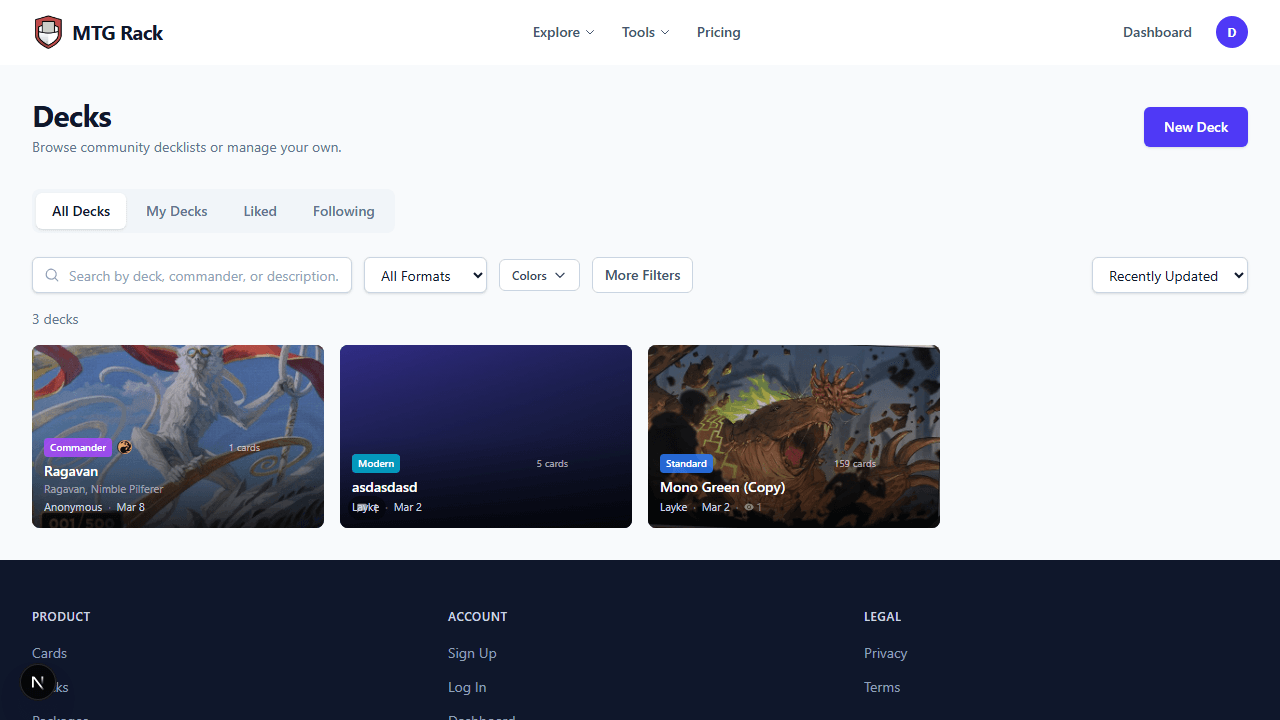
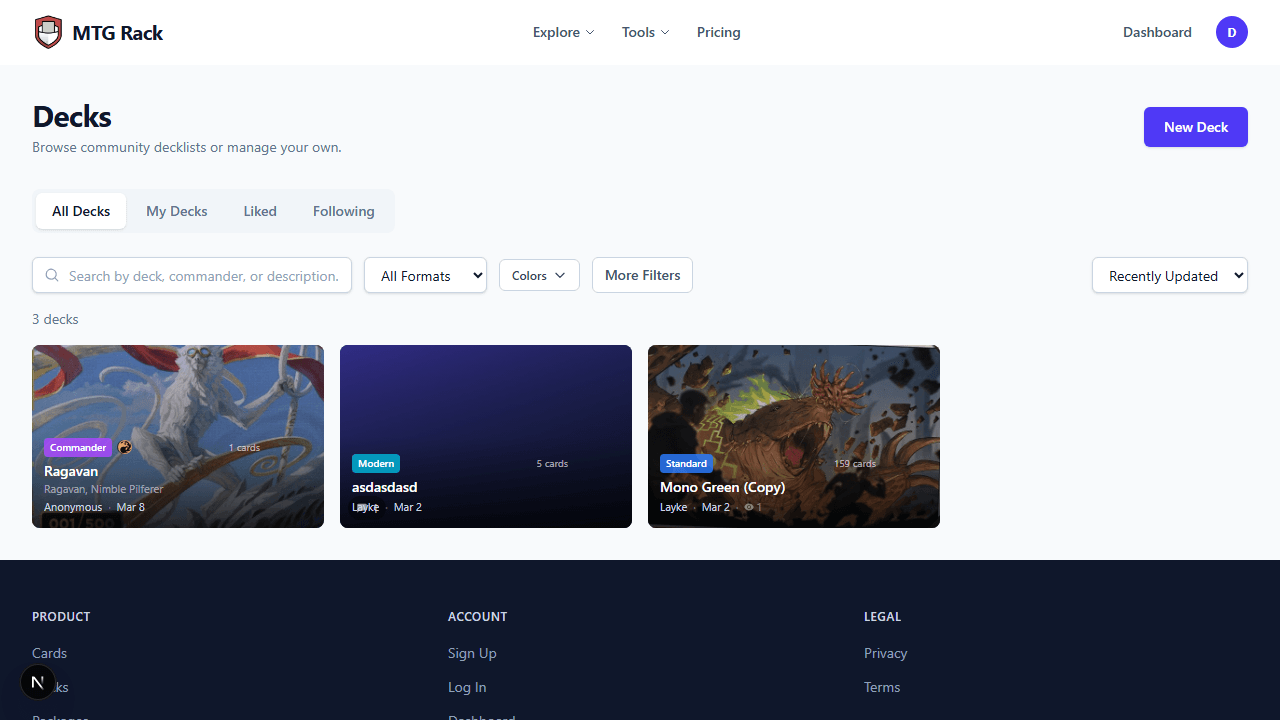
The deck explorer at /explore/decks is a browsable feed of all publicly shared decks on the platform. You can search by deck name, filter by format or color identity, and sort the results to find exactly what you are looking for. The explorer is accessible without an account, so anyone can browse and view decks.
Search and Filters
Use the search bar to find decks by name, or apply filters to narrow results:
- Format — filter by Standard, Modern, Pioneer, Legacy, Vintage, Pauper, Commander, or Casual to see only decks built for the format you play.
- Color identity — filter by one or more colors to find decks that match a specific color combination. Particularly useful for Commander players looking for decks in their preferred colors.
Sort Options
Sort the deck feed by:
| Sort By | Description |
|---|---|
| Recently updated | Decks with the most recent changes appear first. Good for finding actively maintained lists. |
| Newest | The most recently created decks. Great for discovering fresh builds after a new set release or ban announcement. |
| Most cards | Decks with the highest total card count, useful for finding comprehensive Commander lists. |
| Most viewed | The most-visited decks, indicating broad community interest. |
| Most liked | Decks with the most likes, a signal of community approval and quality. |
Tabs
The deck explorer is organized into tabs that let you switch between different views:
Every publicly shared deck on the platform, from all users.
Your own published decks, for quick access to manage and review what you have shared.
Decks you have previously liked, serving as a curated favorites list.
Decks published by users you follow, keeping you up to date with builders whose content you enjoy.
Official preconstructed deck lists from Wizards of the Coast, useful as starting points for upgrades or for comparing your build against the base product.
Deck Cards
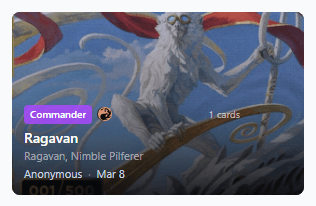
Each deck in the explorer feed is displayed as a card that provides key information at a glance:
- Format badge — a colored badge showing the deck's format (Standard, Commander, Modern, etc.).
- Color identity — mana symbols representing the deck's color identity, making it easy to scan for decks in your preferred colors.
- Card count — the total number of cards in the mainboard.
- Estimated price — the total estimated value of the deck based on current market prices.
- Views — how many times the deck has been viewed.
- Likes — the number of likes the deck has received from the community.
- Comments — the number of comments on the deck.
Like and Unlike
Click the heart icon on any deck card or from within the deck view to like it. Liked decks appear in your Liked tab for easy access later. Click the heart again to unlike. Likes are public — deck authors can see how many likes their decks have received, but the specific users who liked are not displayed. Liking a deck also signals to the community that it is worth checking out, as decks can be sorted by most liked.
Public Package Explorer
In addition to decks, the explore section includes a package browser at /explore/packages. Browse community-published packages — reusable card lists and deck templates shared by other users. Search by name, filter by format, and bookmark packages you want to use later. The package explorer follows the same interface patterns as the deck explorer for a consistent browsing experience.
Public User Profiles
Every user on MTG Rack has a public profile page at /u/[username]. Profiles display:
- Public decks — all decks the user has published, viewable by anyone.
- Follower and following counts — how many users follow this person and how many they follow.
- Published packages — any packages the user has shared with the community.
From a profile page, you can follow or unfollow the user, browse their published content, and click through to any of their public decks or packages.
Public Deck Sharing
Every published deck has a shareable URL at /d/[id] that anyone can access without logging in. The public deck view includes the full decklist, mana curve, type breakdown, color distribution, and estimated price. Logged-in users can interact with the shared deck through comments and likes.
Sharing Private Decks
Community Engagement
MTG Rack supports several forms of community interaction:
- Commenting — leave comments on any public deck to ask questions, suggest improvements, or praise the builder. Comments support text formatting and card name auto-linking (type a card name in double brackets and it becomes a clickable link to the card database). Deck authors receive notifications when someone comments on their deck.
- Liking — a quick way to show appreciation for a deck. Likes contribute to the "Most Liked" sort ranking in the explorer.
- Following — follow users whose content you enjoy. Decks from users you follow appear in your Following tab in the explorer. You also receive notifications when someone you follow publishes a new deck.
Moderation